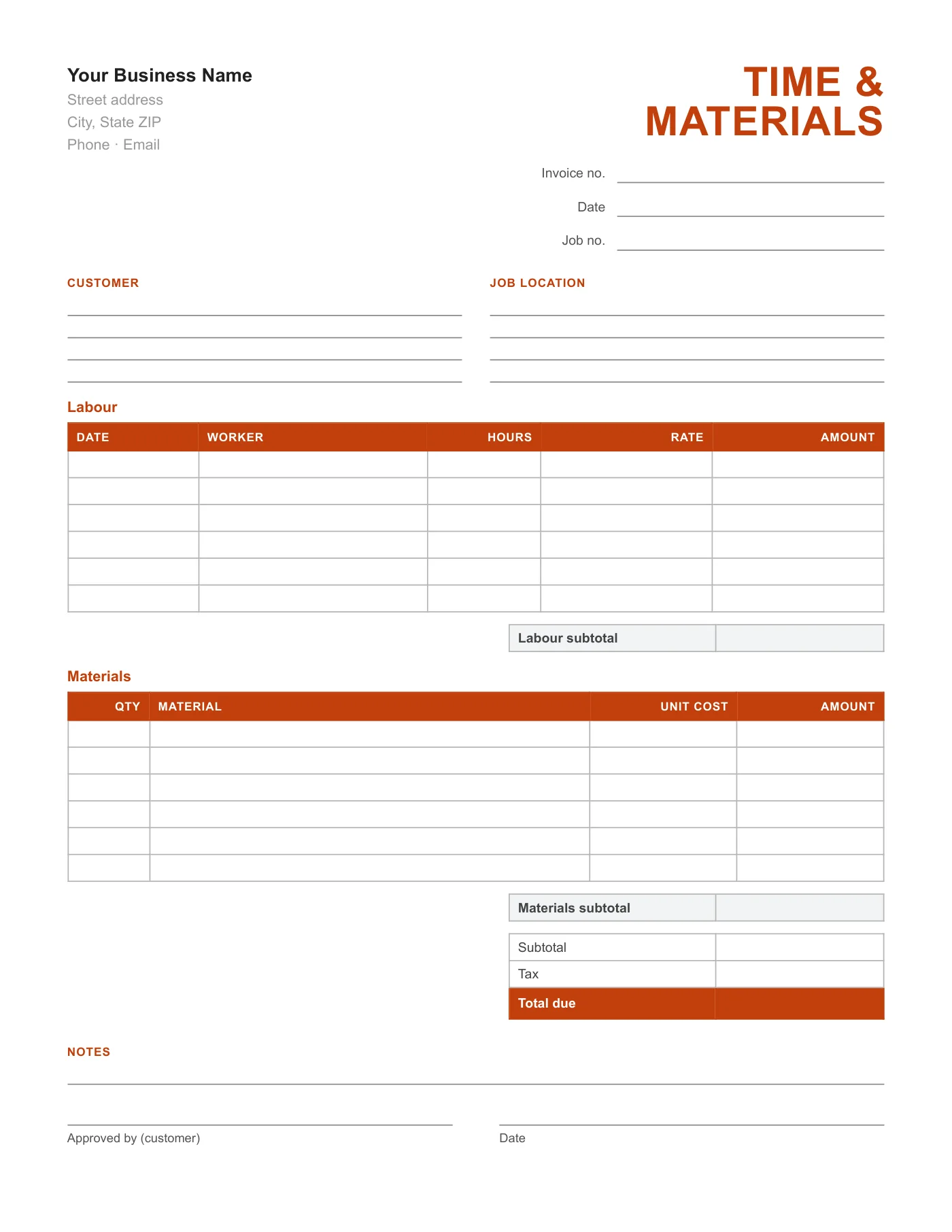
How to use it in PDF, printable
- 1
Download the PDF to your computer or phone.
- 2
Open it in Preview, Acrobat Reader, Microsoft Edge, or any PDF editor.
- 3
Use the text tool to type into each field, or print it and fill it in by hand.
- 4
Save the completed file with the invoice number in the name.
- 5
Email it to your client or print it for the job site.
Why T&M invoices need their own form
On a time and materials job the customer is entitled to see who worked, when, for how long, and what was bought. A standard invoice buries that in descriptions. This form gives each fact its own column so approval takes a minute and disputes are rare.
Keeping it current
Fill in the labour lines daily rather than from memory at the end of the week, and staple material receipts to the office copy. Submit the form for approval before the next stage starts, so sign-off never falls behind the work.
Tips
- Record hours per worker per day, not per week.
- Attach supplier receipts to the office copy.
- Get the approval signature before leaving site.
Questions about this template
Is there a version that calculates?
Yes, the Contractor Excel Invoice has labour and materials sections with formulas and a markup percentage.
Can I show a markup on materials?
Write the marked-up unit cost, or add a Markup line in the Notes and include it in the total.
How many lines fit?
Six labour lines and six materials lines per sheet.